You must have a Management Record created first in order to be able to proceed with creating a Tenancy Record. Learn more about creating a Management Record here: https://www.atrealtysupport.com.au/a/solutions/articles/14000148410
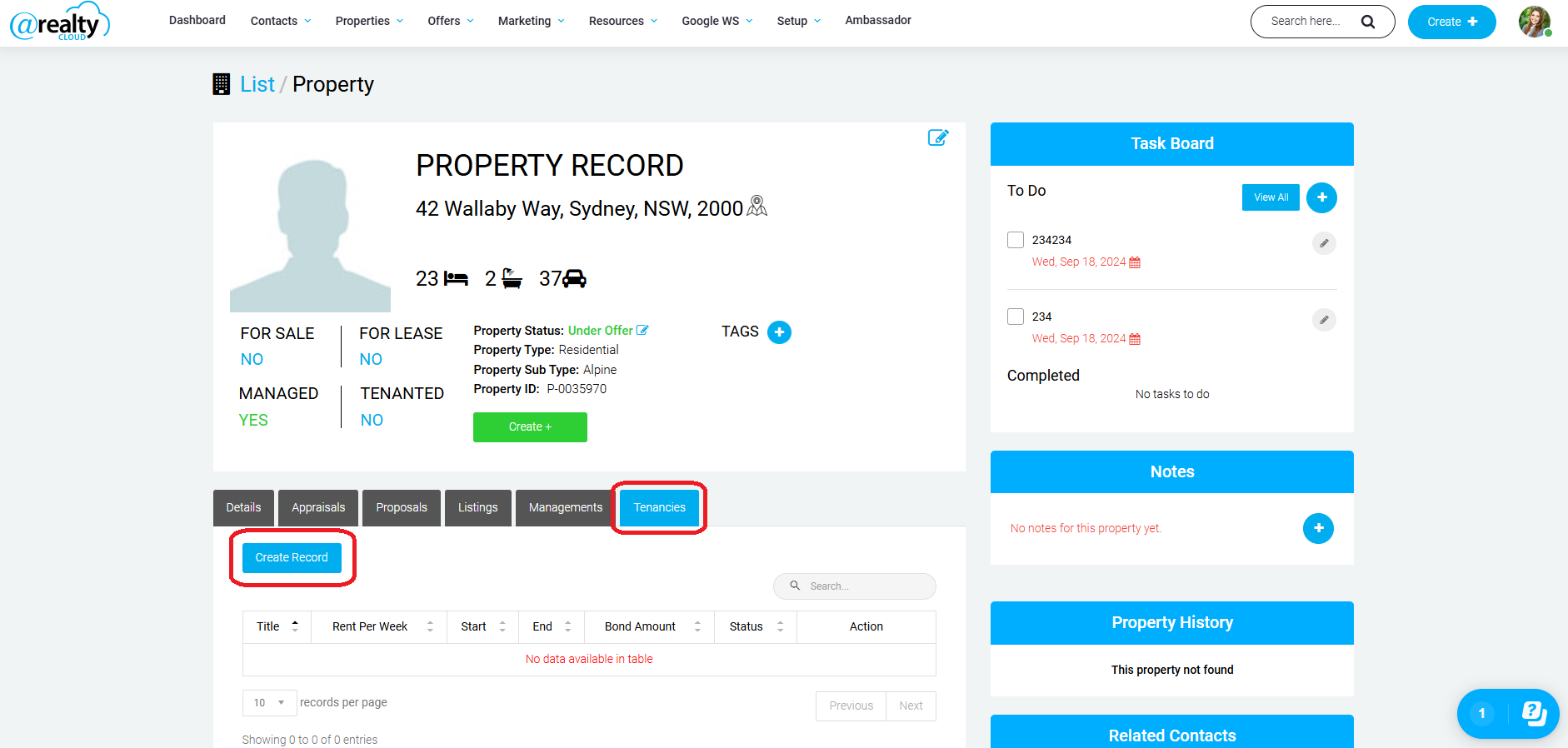
When in the Property Record click on Tenancies -> Create Record:
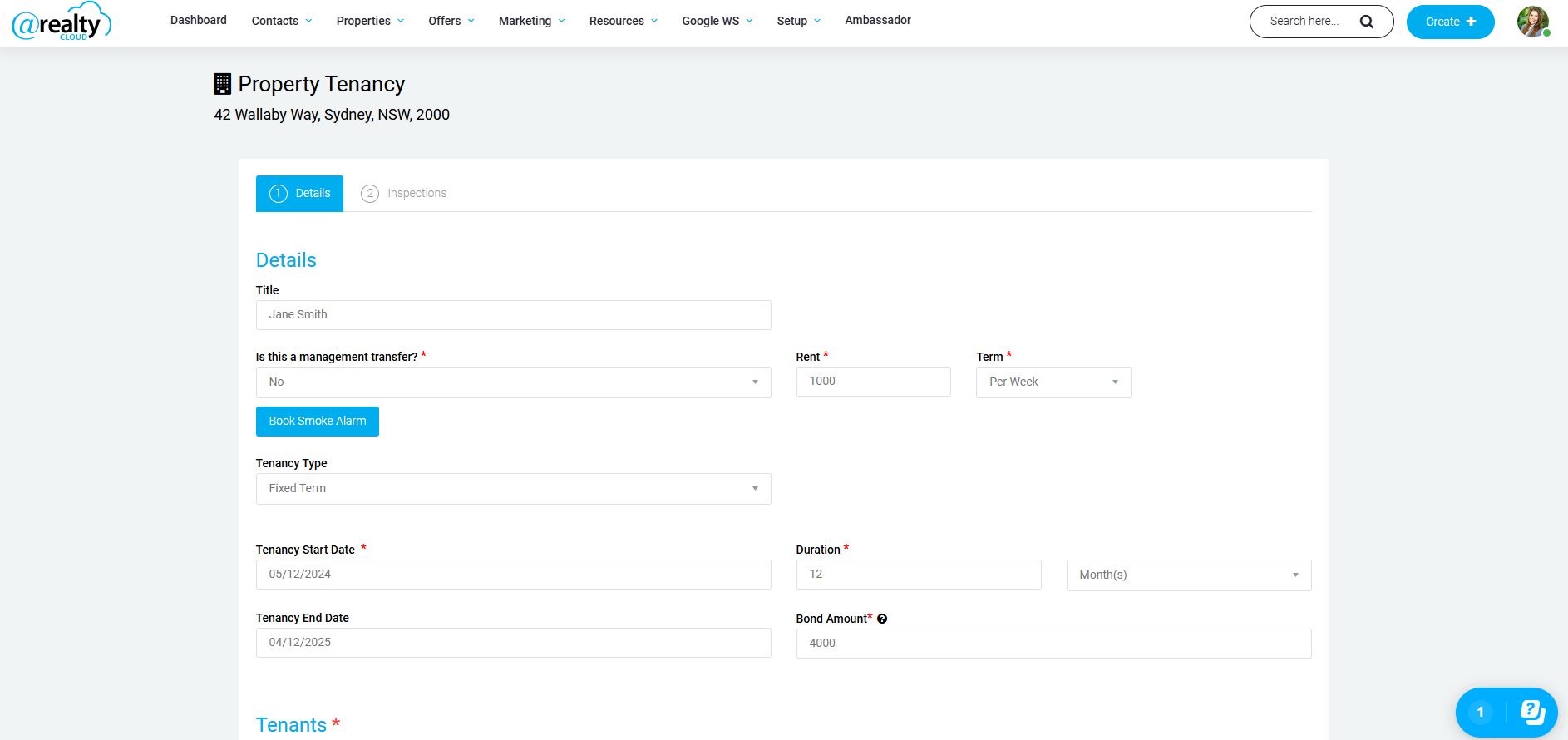
Fill in the below details (select 'Yes' under management transfer if you have taken over the management of an existing tenancy, this will then request additional documentation for this record such as their previous tenancy ledger & bond transfer document):
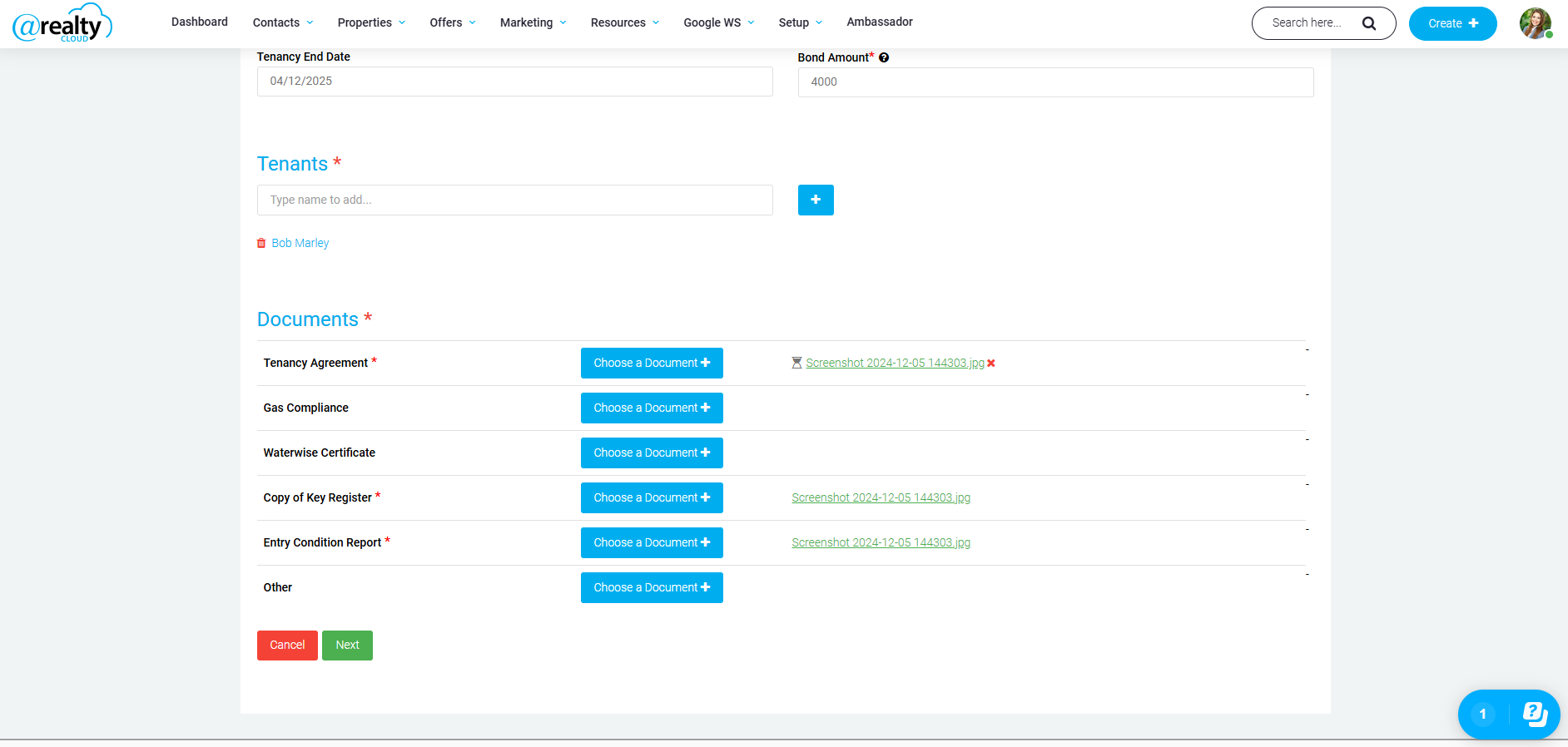
If the tenant is an existing contact, you can simply search their name and select the contact. Otherwise, click the blue + button and add them in as a contact.
Upload the required documents below and click next.
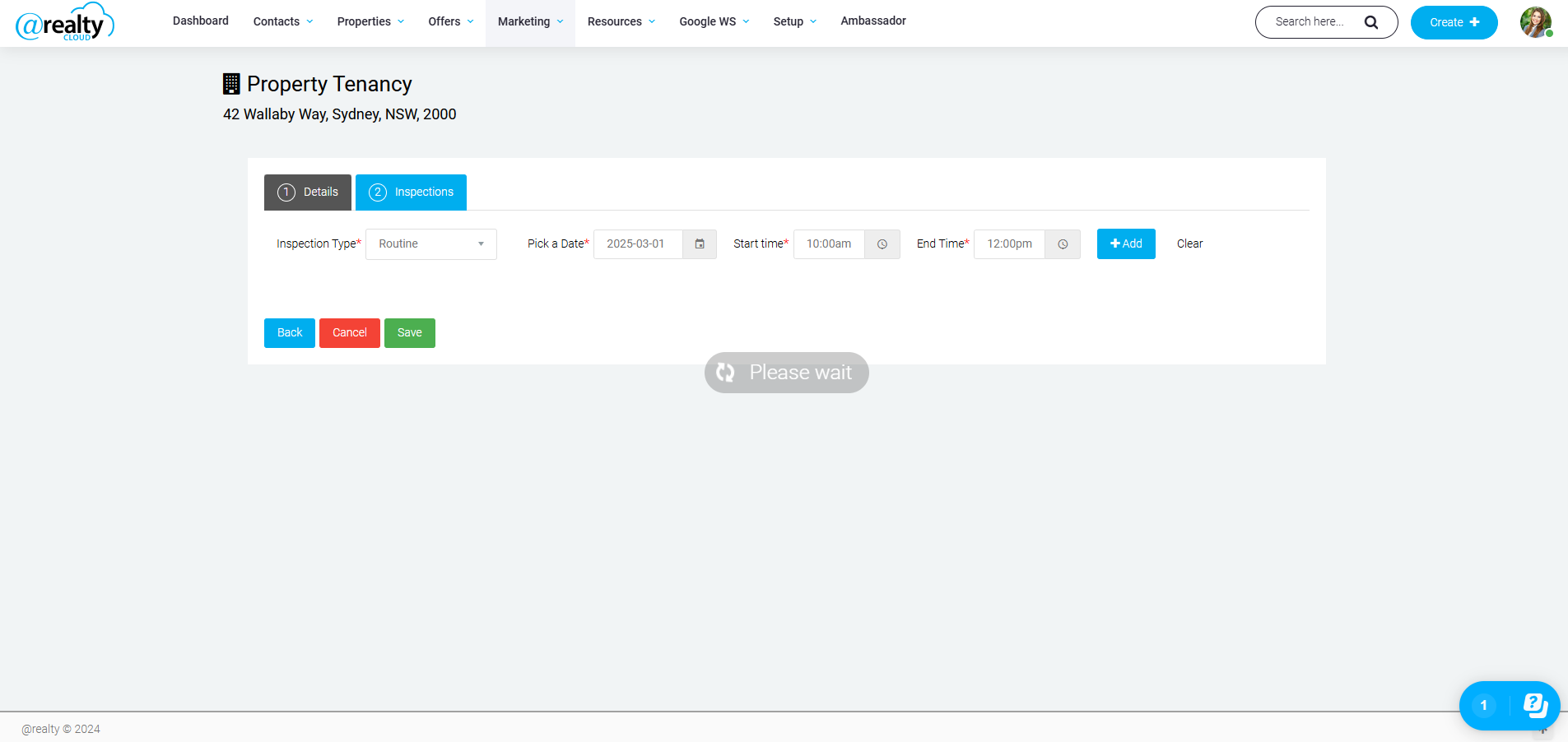
Clicking next will take you to the below screen where you can enter your inspections. Once you have added in all the inspections you need, click save.
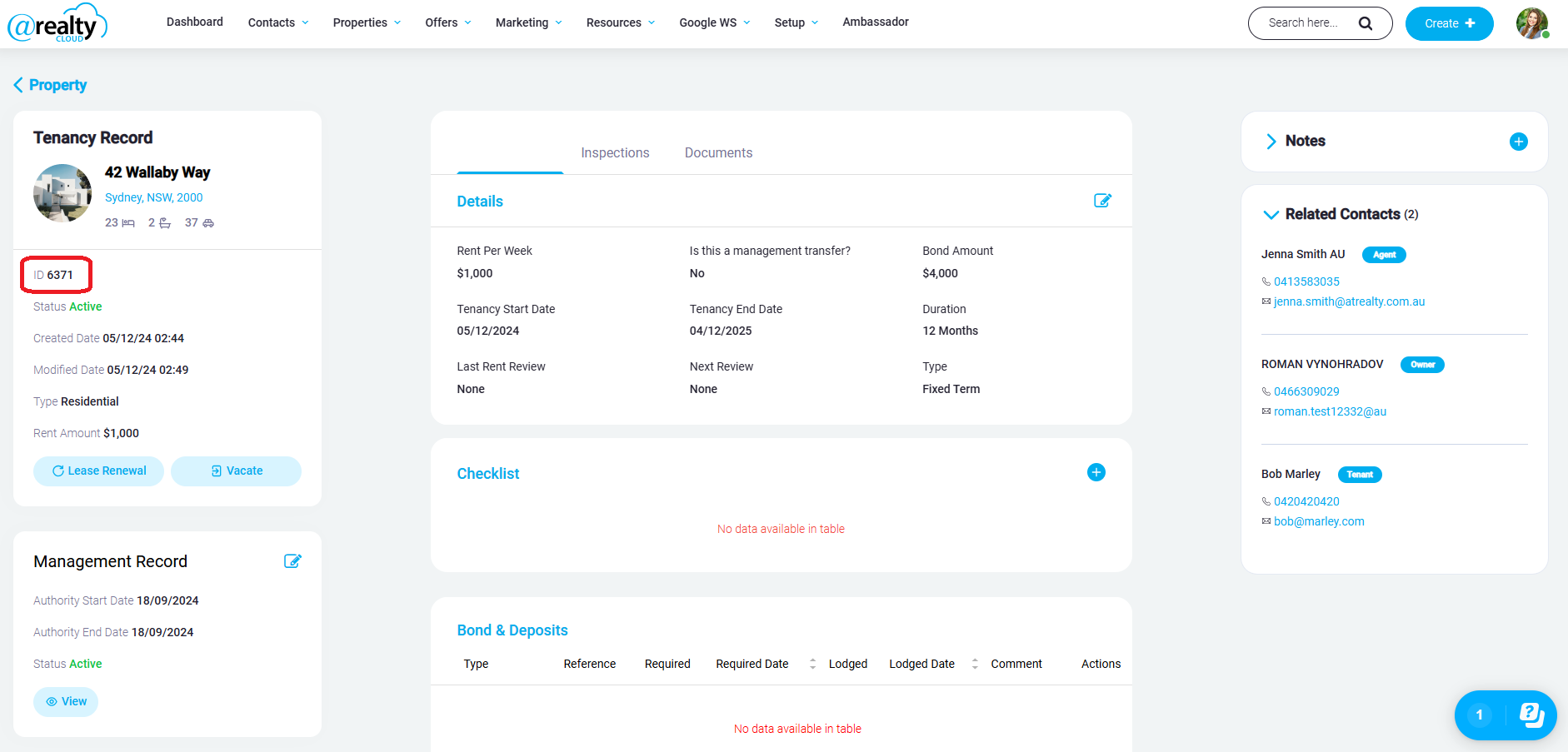
Once you have saved the record, it will take you to the screen where you are viewing the tenancy record you just created. The tenants unique reference number can then be found in the top lefthand corner beside the ID number. This will be the tenants reference number they must used to pay their rent into our trust account.
The Head Office Rentals team will receive the agreement & documents you uploaded. The Rentals team will review it for compliance & will advise you if anything needs updating.
If the agreement is deemed compliant, Head Office Rentals team will create the tenancy record in Property Tree & can begin receipting rent.
Was this article helpful?
That’s Great!
Thank you for your feedback
Sorry! We couldn't be helpful
Thank you for your feedback
Feedback sent
We appreciate your effort and will try to fix the article